









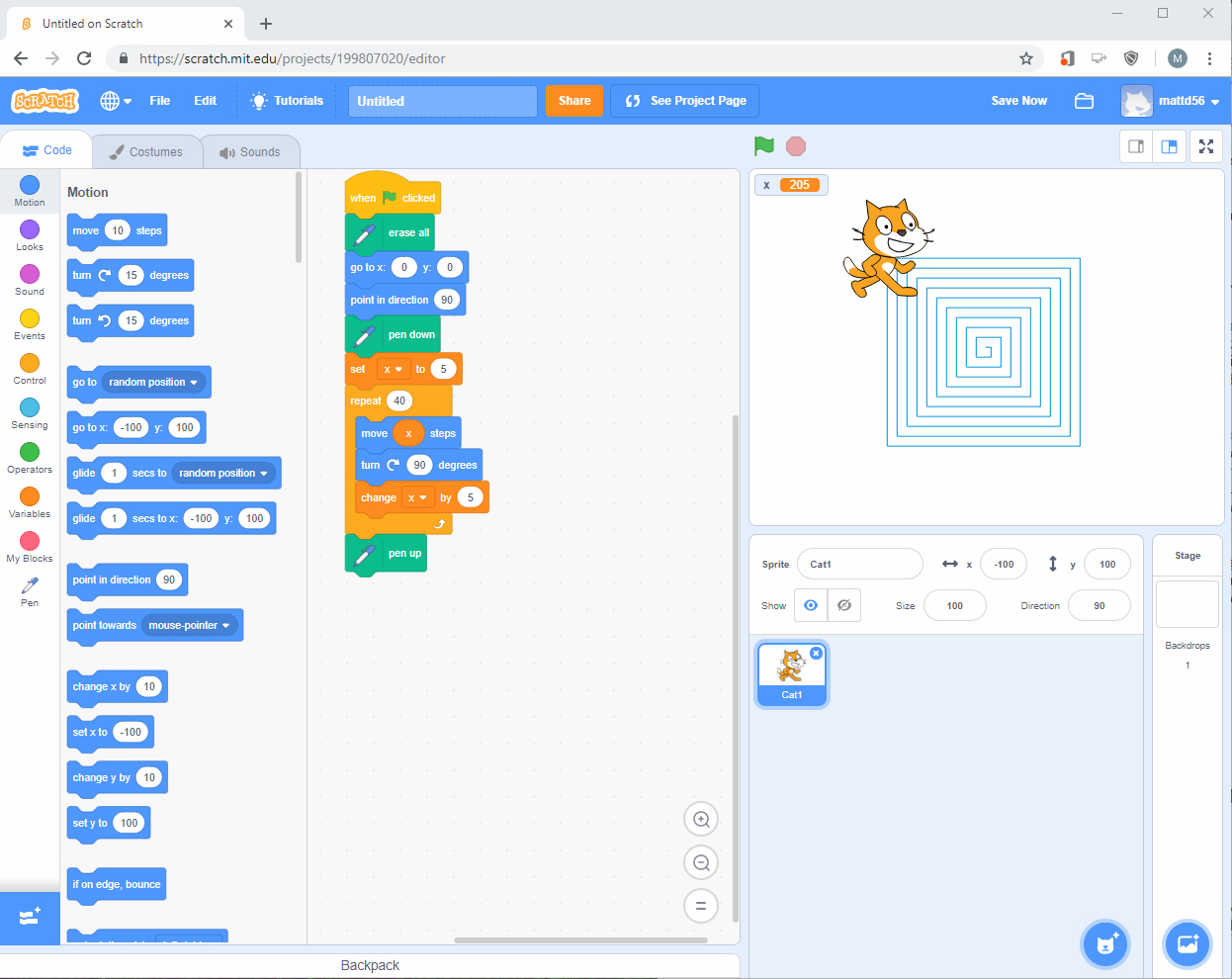
My inspiration for this project is my background in programming. While I’m not a very artistic or creative person, I felt it would be better to create something instructive. Therefore, I chose to make my project a simple tutorial for anyone interested in programming. The program was created in Scratch, which is an online visual programming tool.
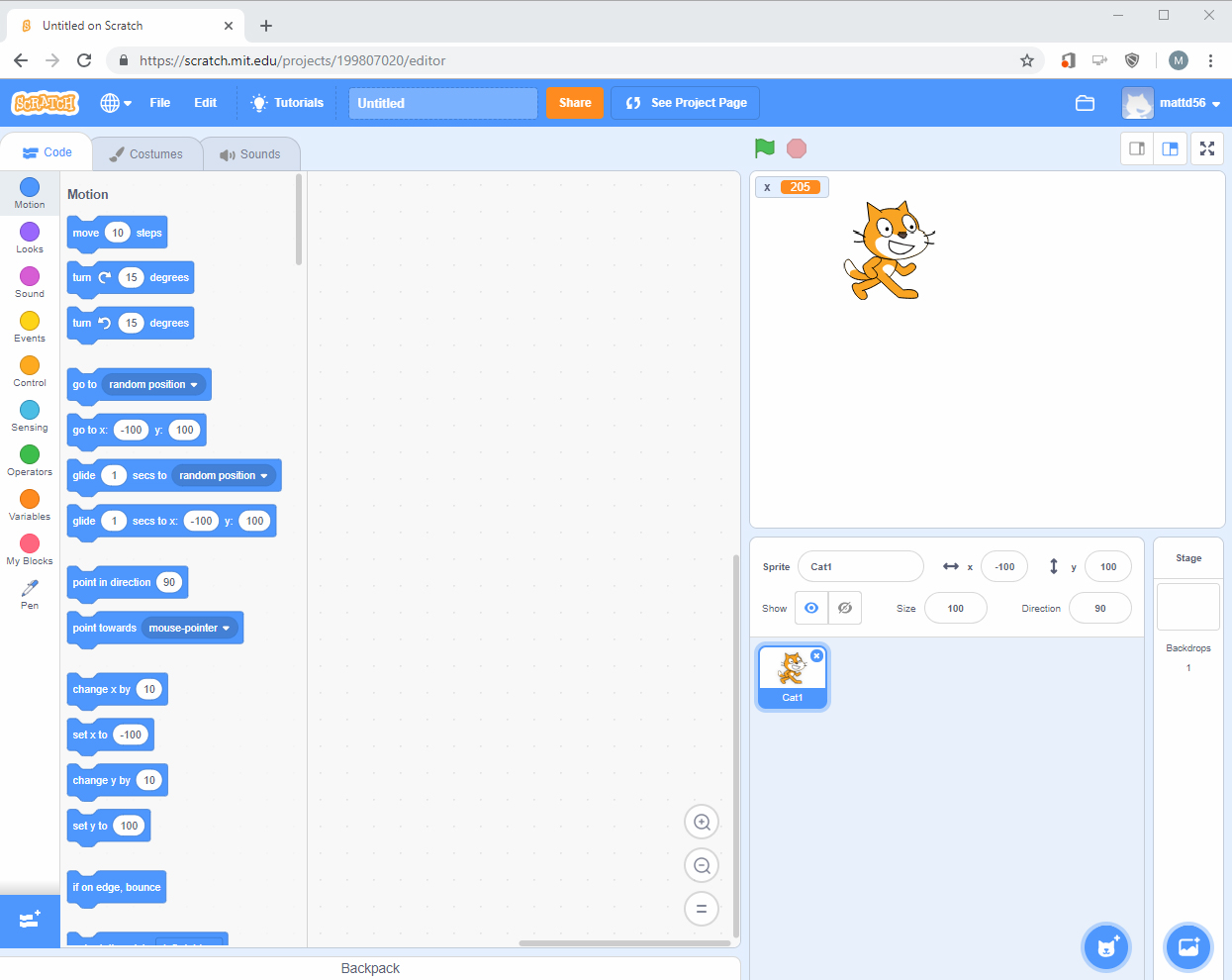
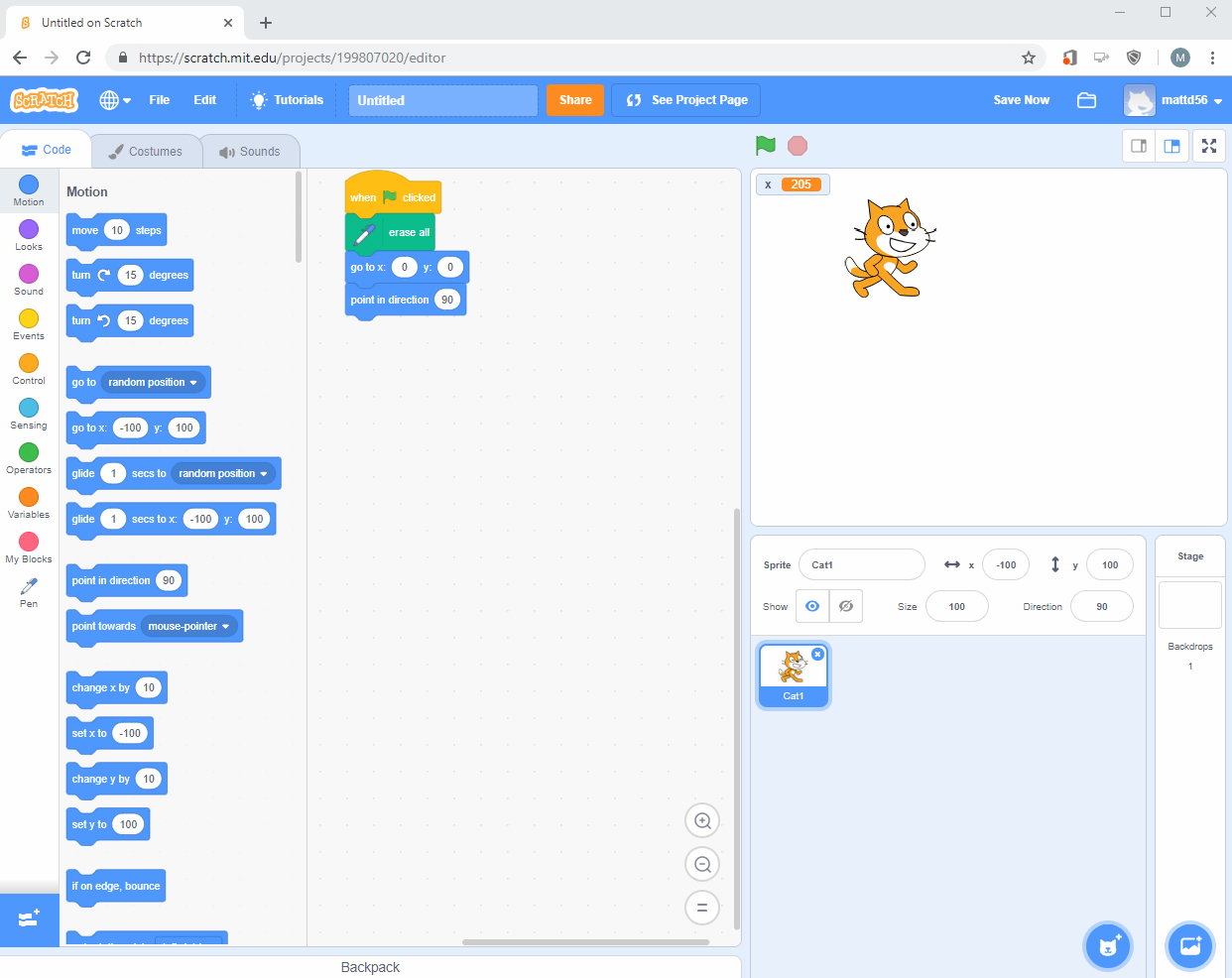
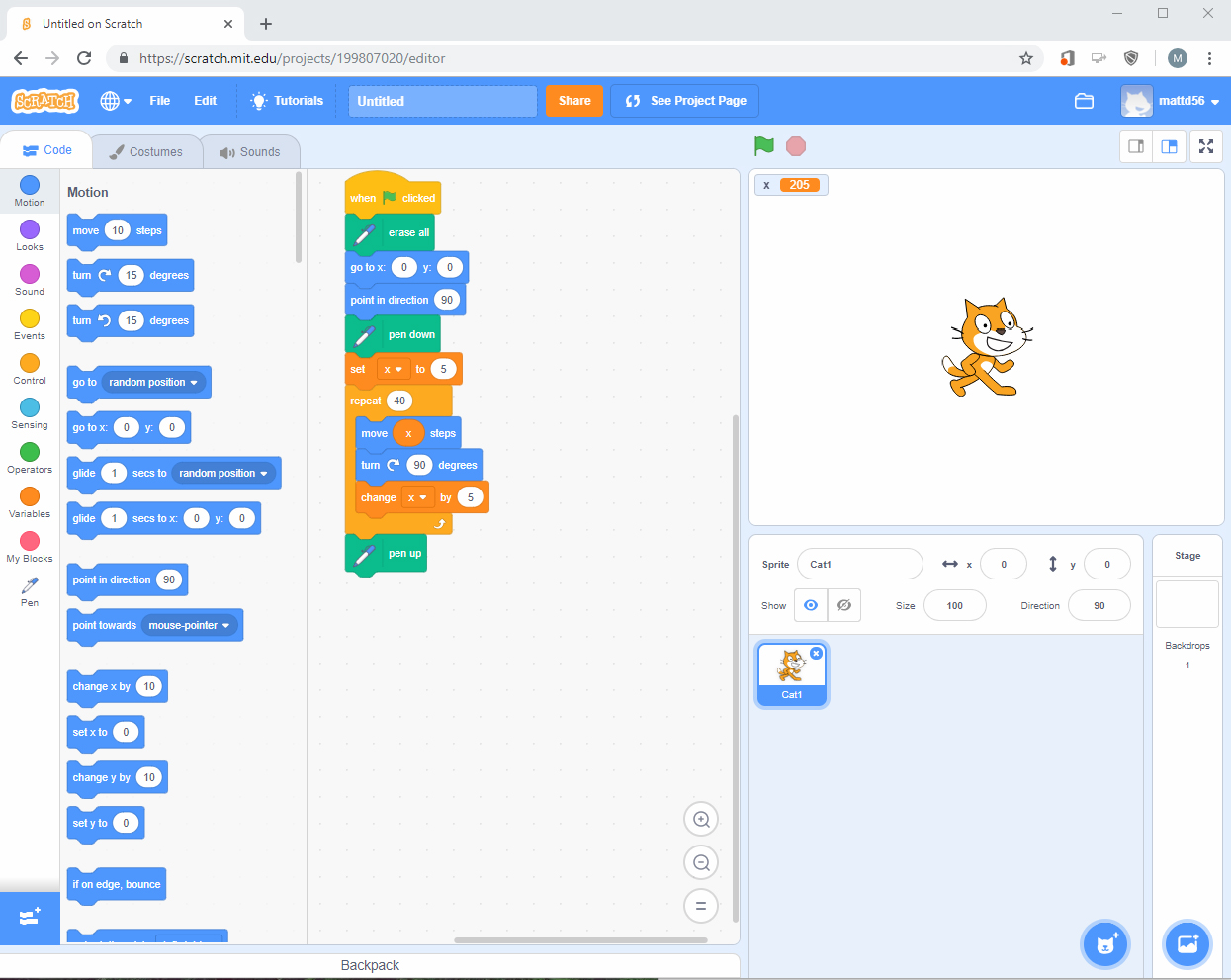
Scratch is a very effective tool for showing how programs work using colorful visual blocks that have code built in. These blocks are then chained together to create scripts. I showcased this by creating a really-easy and flexible program that loops drawing a square over and over. The program is written so anyone can try it for themselves, as well as change the variables to create different shapes. For the collage, I used the Photoshop lessons to create new layers for each ‘step’ image. I did this by changing the window to tile mode so I could drag the screenshots of my program into the collage. Then I lined them all up using grids and scaled the images to fit in their spot on the canvas. Lastly, I added a text box to each layer containing the steps to create the program. Once I had everything the way I wanted I flattened the layers.
After receiving feedback from my classmates, I revised my collage based off their advice, in order to make my collage more visually pleasing. While my story was easily conveyed, it was not very eye catching, or creative. Then I followed my classmate’s advice and added a border around the pictures in order to make each one stand out a little more. Furthermore, I removed parts of the images that weren’t vital to my collage, such as the top bar in the web browser, in order to fit everything together a little better. All these elements and advice from my classmates work together to improve upon my simple step by step tutorial for anyone to learn how to create their own program.
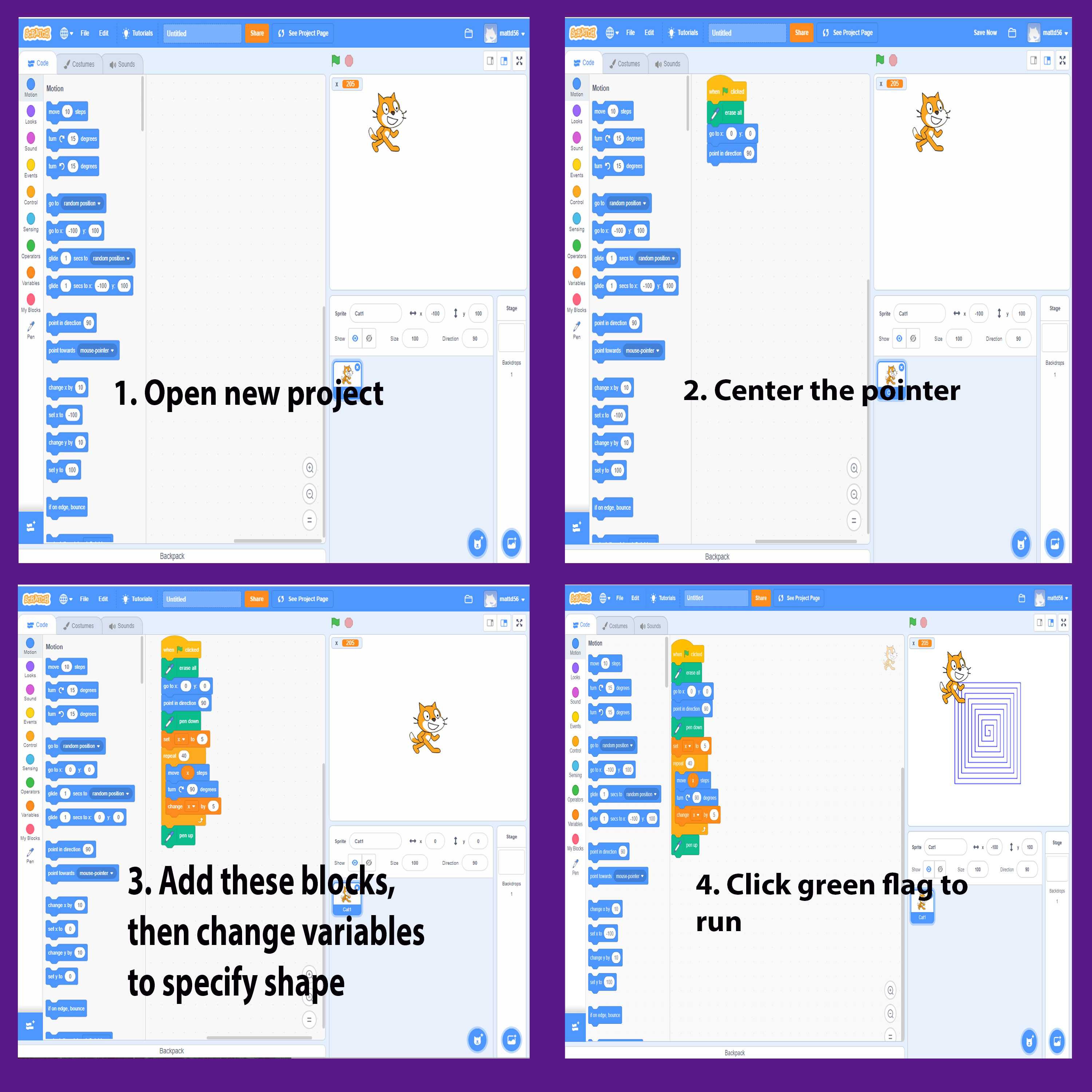

My inspiration for this project is my background in programming. While I’m not a very artistic or creative person, I felt it would be better to create something instructive. Therefore, I chose to make my project a simple tutorial for anyone interested in programming. The program was created in Scratch, which is an online visual programming tool. Scratch is a very effective tool for showing how programs work using colorful visual blocks that have code built in. These blocks are then chained together to create scripts. I showcased this by creating a really-easy and flexible program that loops drawing a square over and over. The program is written so anyone can try it for themselves, as well as change the variables to create different shapes. For the collage, I used the Photoshop lessons to create new layers for each ‘step’ image. I did this by changing the window to tile mode so I could drag the screenshots of my program into the collage. Then I lined them all up using grids and scaled the images to fit in their spot on the canvas. Lastly I added a text box to each layer containing the steps to create the program. Once I had everything the way I wanted I flattened the layers. All these elements work together to create a simple step by step guide for anyone to recreate my program.


Thanks for joining me!
Good company in a journey makes the way seem shorter. — Izaak Walton

















 Matts Blog