Final Video Story


My idea for this project came from one of our earlier projects, where I used pictures to show how a program is written. However, this time I decided to write a real program using python instead of scratch. This isn’t necessarily to teach someone how to write a program but more so an informational video to show the process of how a real program is written. Since programming is one of my main interests I thought this would be a good chance to test myself with a project while remaining within my course topic of technology. My inspiration comes from Youtubers who create guides for programming that I watch to expand my knowledge. Most of my research for the project involved the Lynda tutorials to remind myself how to add effects to the clips. For the design of my project, I clipped around 30 minutes of footage down to three minutes. Removing the unneeded parts, the pauses, background noises, etc. then I went through and organized the clips, sped up the repetitive parts, and made it as concise as possible. Then I added two non-copyrighted songs, Wanna by Ikson and Arp Bounce by Geographer, to act as an intro, outro, and background music. Then a picture that I made in photoshop (my initials and 2 letters) was added to the corner to add a little style, I also added it to the beginning to remove the black screen and have it fade out to the video. Lastly I added fades to the music and video. To get my footage for the project I used OBS (Open Broadcaster Software) to record footage of my screen, microphone, and webcam while I wrote the program. Then I added voice over in parts that were needed, such as when background noise disrupted my voice. Lastly, the only real issue I ran into was my laptop slowing down while editing as it heated up, which there wasn’t much of a solution to, other than taking a break to let it cool down.

Draft Video Project

My idea for this project came from one of our earlier projects, where I used pictures to show how a program is written. However, this time I decided to write a real program using python instead of scratch. This isn’t necessarily to teach someone how to write a program but more so an informational video to show the process of how a real program is written. Since programming is one of my main interests I thought this would be a good chance to test myself with a project while remaining within my course topic of technology. My inspiration comes from Youtubers who create guides for programming that I watch to expand my knowledge. Most of my research for the project involved the Lynda tutorials to remind myself how to add effects to the clips. For the design of my project, I clipped around 30 minutes of footage down to three minutes. Removing the unneeded parts, the pauses, background noises, etc. then I went through and organized the clips, sped up the repetitive parts, and made it as concise as possible. Then I added two non-copyrighted songs, Wanna by Ikson and Arp Bounce by Geographer, to act as an intro, outro, and background music. Then a picture that I made in photoshop (my initials and 2 letters) was added to the corner to add a little style, I also plan to use the picture for the intro where the screen is black in my final project, and have it fade out to the video. I just ran out  of time before getting around to it, which is why its black for the first ten seconds. Lastly I added fades to the music and video. To get my footage for the project I used OBS (Open Broadcaster Software) to record footage of my screen, microphone, and webcam while I wrote the program. Then I added voice over in parts that were needed, such as when background noise disrupted my voice. Lastly, the only real issue I ran into was my laptop slowing down while editing as it heated up, which there wasn’t much of a solution to, other than taking a break to let it cool down.

Audio Story Final Draft


For my audio project, I couldn’t really think of a story to tell related to technology. Instead, I decided to do a mock podcast with my friend Mike discussing Artificial Intelligence. After a couple recordings we realized that back and forth conversation took well over five minutes. After a few more attempts with cutting down my responses it still took too long, so I decided to turn it into more of an interview where I get the average person’s perspective on A.I. as it is something we use in our every day lives, usually without even realizing. A great example of this is Youtube when they recommend videos for you to watch. There’s an A.I. algorithm behind the scenes that uses machine learning to figure out what you might be interested in watching next. For the recorded audio, there were parts I had to cut out such as pauses between speech to make the interview more fluent and a bit shorter. For the intro and outro I used a non-copyrighted song called valence and again I cut out the parts I didn’t need as well as added a fade in and out. In my final draft I took my classmates ideas and decided to shorten the length of the intro and outro song to better fit with the length of the mock podcast. I also added a portion of me explaining how we use artificial intelligence in just about everything we use. Lastly, I cut out more pauses and gaps in speech as well as random background sounds and stutters that were noticeable and took away from the discussion.

Audio Project Draft

For my audio project, I couldn’t really think of a story to tell related to technology. Instead, I decided to do a mock podcast with my friend Mike discussing Artificial Intelligence. After a couple recordings we realized that back and forth conversation took well over five minutes. After a few more attempts with cutting down my responses it still took too long, so I decided to turn it into more of an interview where I get the average person’s perspective on A.I. as it is something we use in our every day lives, usually without even realizing. A great example of this is Youtube when they recommend videos for you to watch. There’s an A.I. algorithm behind the scenes that uses machine learning to figure out what you might be interested in watching next. For the recorded audio, there were parts I had to cut out such as pauses between speech to make the interview more fluent and a bit shorter. For the intro and outro I used a non-copyrighted song called valence and again I cut out the parts I didn’t need as well as added a fade in and out. Lastly, because I didn’t think of this until now, In my final draft I plan to have the outro music fade in over the ending dialogue.

Logo Final Draft

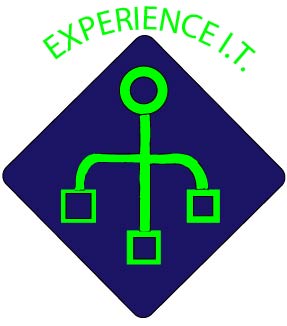
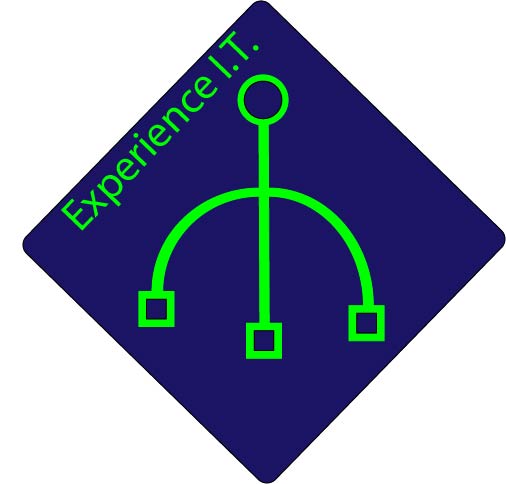
The inspiration for my logo comes from the I.T. field which my logo was created for. I.T. firms commonly use symbols like the one I created to represent their company’s.  They are often some variation of my design which looks like a circuit or wires creating a network. I created the logo by using the shape tools to create the basic circles and squares. Then I used the rounded rectangle to create the background. To create the curved lines connecting the shapes, I used the lessons taught in the Lynda tutorials. Originally I had to paint the lines by hand as they weren’t a shape and couldn’t be filled, however, In my final draft I was able to figure out how to connect the lines to create a shape that can be filled. Thus i was able to get rid of the sloppy look it had previously. I also purposely made the lines uneven as suggested in peer reviews. Lastly I followed another peer suggestion to move my slogan along the edge (though I am not exactly sure if this was what they had in mind, however i like the way it looks. To conclude, I feel like my final draft is a major improvement over my rough draft, as now it looks much cleaner and a bit more technical and uses more of the space within the border.

Draft Logo

The inspiration for my logo comes from the I.T. field which my logo was created for. I.T. firms commonly use symbols like the one I created to represent their company’s.  They are often some variation of my design which looks like a circuit or wires creating a network. I created the logo by using the shape tools to create the basic circles and squares. Then I used the rounded rectangle to create the background. To create the curved lines connecting the shapes, I used the lessons taught in the Lynda tutorials. Finally, I had to paint the lines by hand as they weren’t a shape and couldn’t be filled. In my final draft I plan to figure out how to connect the lines to create a shape that can be filled. This way I can avoid the sloppy look it has from the jagged lines. Or I could go through with the smoothing tool to blend it all together. Either way, this is the draft image that will be improved upon for my final Logo.

Logo Sketch

My idea for my logo is to apply the tagline of my blog over a symbol that looks kind of like a circuit. I also plan to round the corners of the diamond and curve the words around it.

Create a free website or blog at WordPress.com.

Up ↑

Design a site like this with WordPress.com
Get started